
 ∥
∥  ∥ 中研院 ∥ 人社中心 ∥ 繁體中文 ∥ English
MapToPoster 是一個由開發者 originalankur 建立的開源 Python 專案,運用免費的 OpenStreetMap 交通路網資料,使用者只需輸入城市與國家名稱即可生成該區域的地圖,內建超過 17 種地圖風格,包括極簡黑白(noir)、藍晒圖(blueprint)、霓虹賽博龐克(neon_cyberpunk)、日本水墨(japanese_ink)等,可以根據使用者愛好選擇使用。
GitHub 上 MapToPoster 專案:https://github.com/originalankur/maptoposter
以下為 MapToPoster 工具的安裝及操作步驟(如果你的電腦已經有安裝好Python環境,可以從步驟2開始):
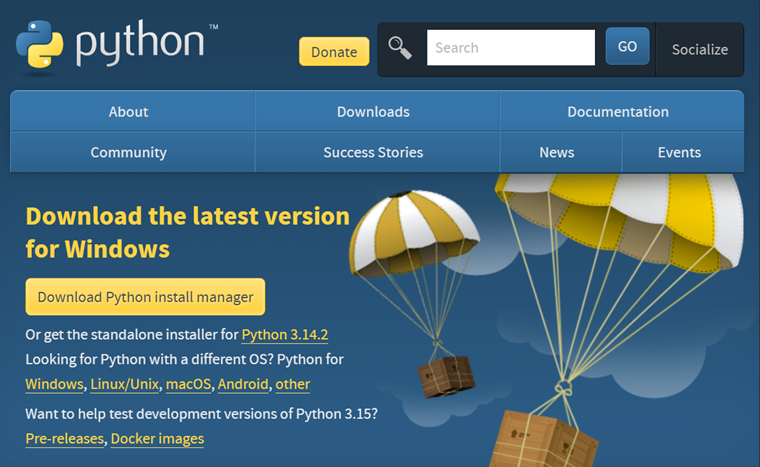
1.安裝 Python 3
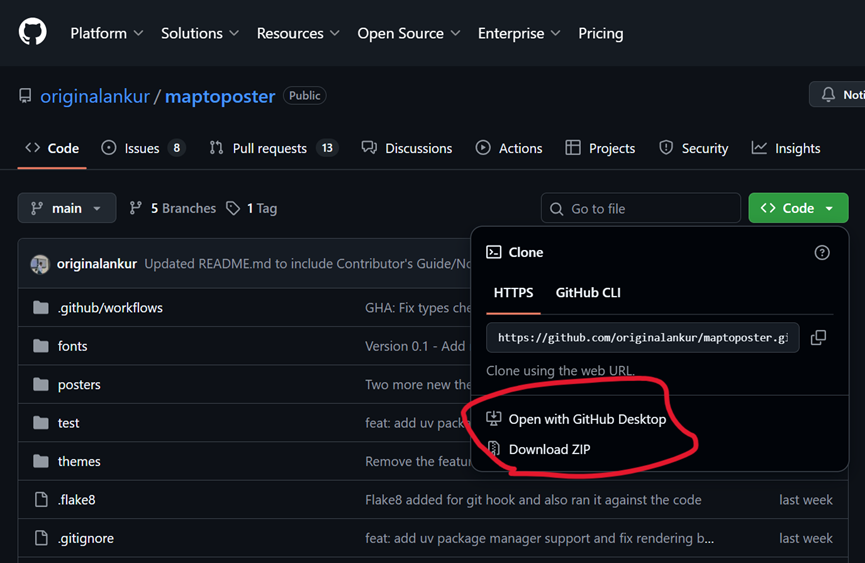
2.下載 MapToPoster 程式碼
可以透過 GitHub Desktop 或者 直接下載ZIP,複製全部 MapToPoster 程式碼,安裝到指定目錄下,例如 c:\py\maptoposter。
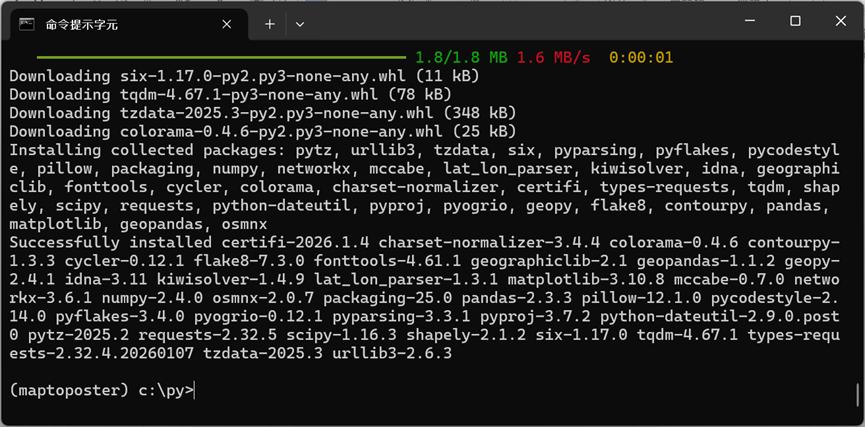
3. 直接在工具列搜索cmd 即可開啟命令提示字元,進入c:\py目錄。
python -m venv maptoposter
.\maptoposter\Scripts\activate
python.exe -m pip install --upgrade pip
pip install -r .\maptoposter\requirements.txt
進入 maptoposter 目錄(cd c:\py\maptoposter),接下來就可以運用指令來產製城市地圖海報:
create_map_poster.py [-h] [--city CITY] [--country COUNTRY] [--latitude LATITUDE]
                       [--longitude LONGITUDE] [--country-label COUNTRY_LABEL]
                       [--theme THEME] [--all-themes] [--distance DISTANCE]
                       [--width WIDTH] [--height HEIGHT] [--list-themes]
                       [--display-city DISPLAY_CITY]
                       [--display-country DISPLAY_COUNTRY]
                       [--font-family FONT_FAMILY] [--format {png,svg,pdf}]
可以透過 python create_map_poster.py –list-themes 指令查看所有的地圖樣式名稱。
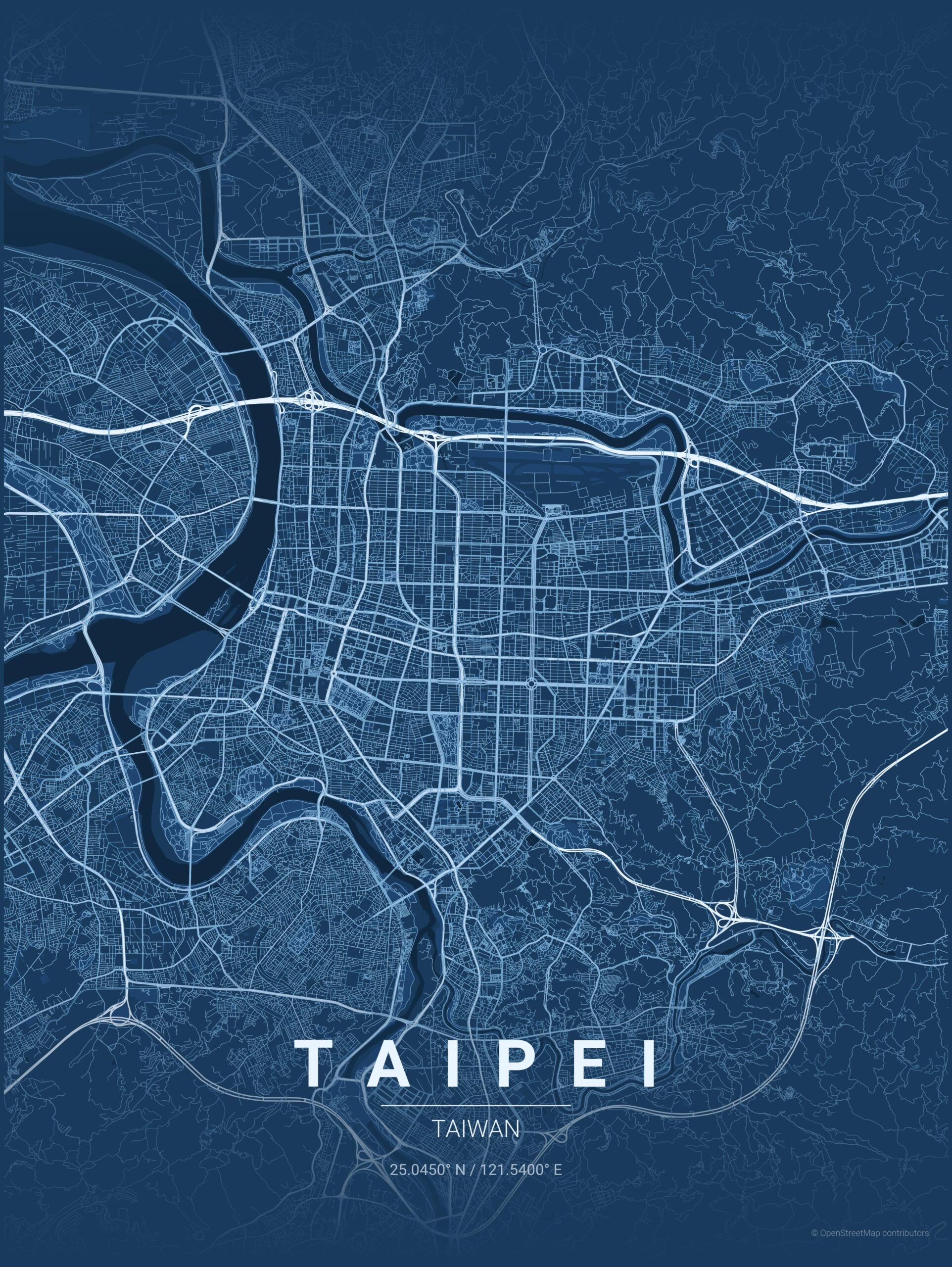
範例一:
python create_map_poster.py --city Taipei --country Taiwan --latitude 25.045 --longitude 121.54 --theme blueprint --distance 30000
範例二:
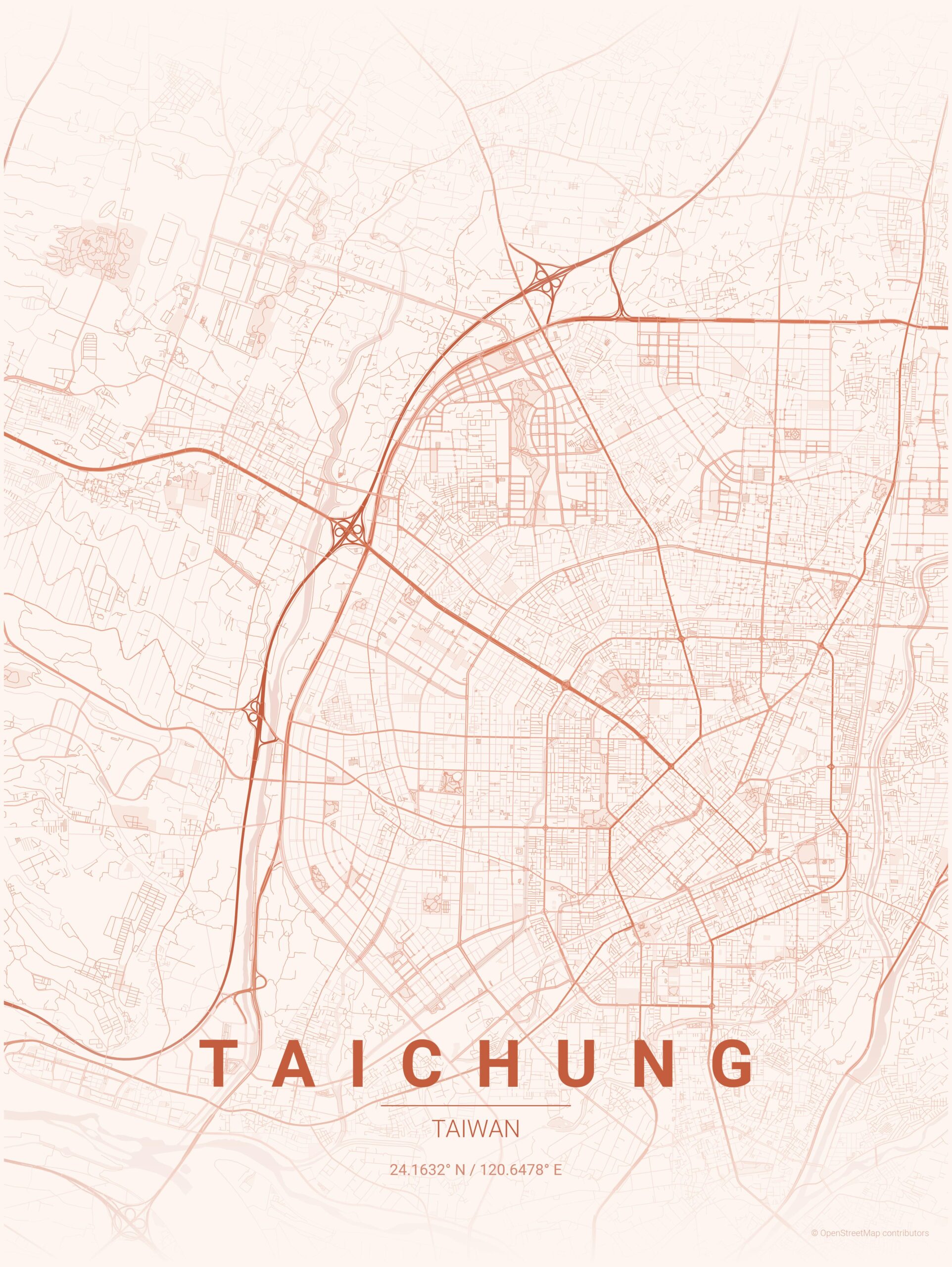
python create_map_poster.py --city Taichung --country Taiwan --theme sunset --distance 25000
範例三:
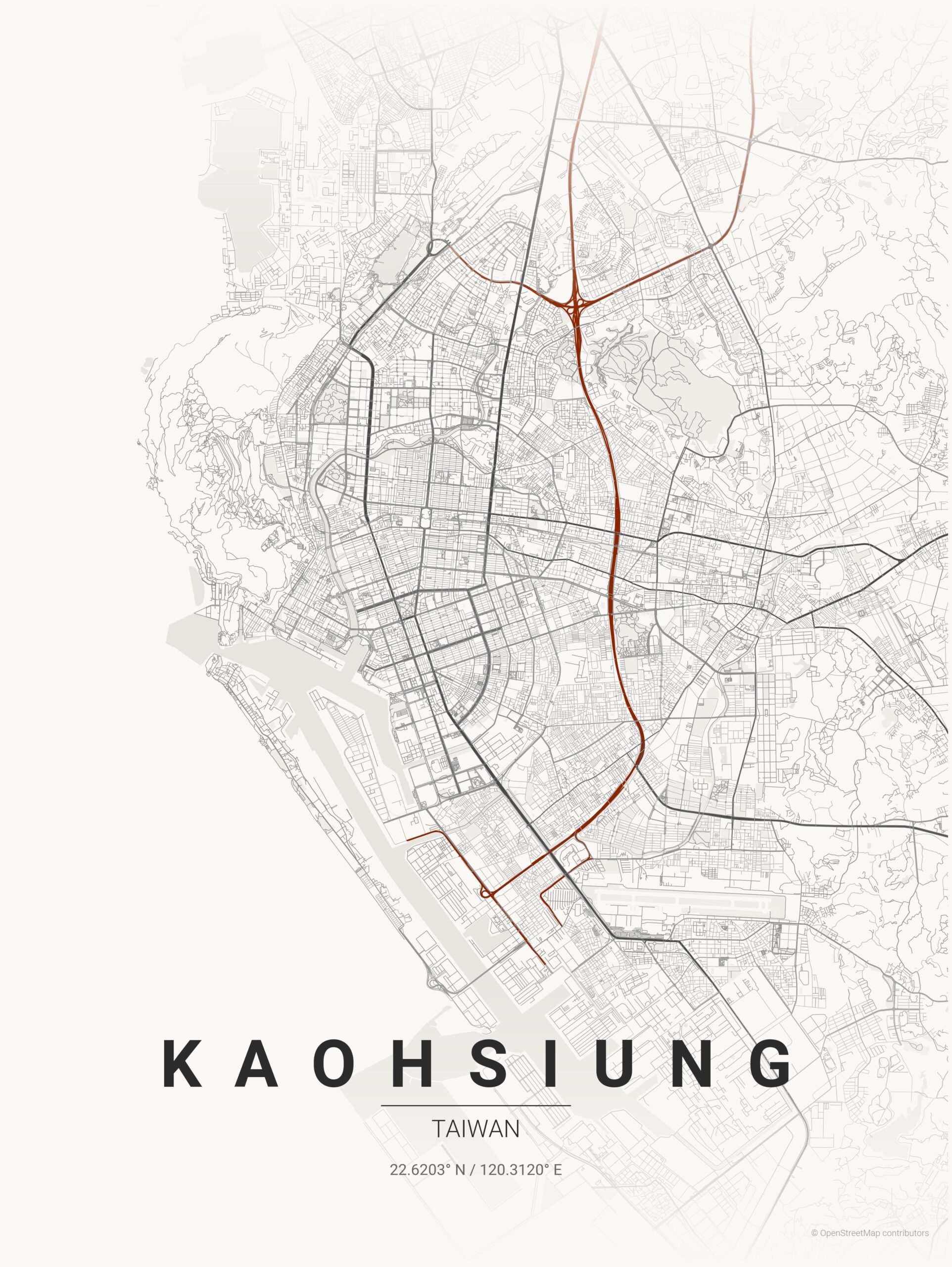
python create_map_poster.py --city Kaohsiung --country Taiwan --theme japanese_ink --distance 35000
範例四:
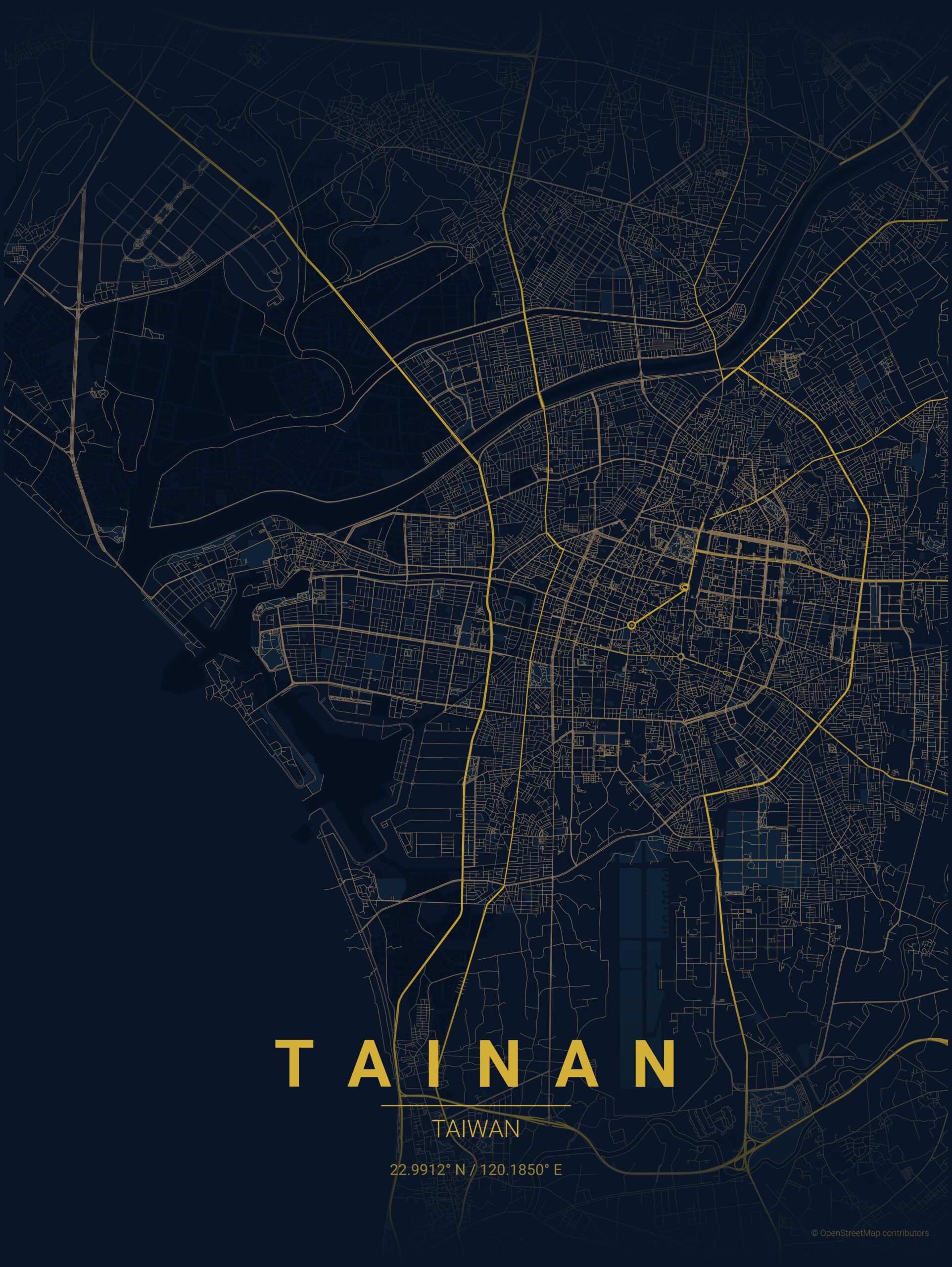
python create_map_poster.py --city Tainan --country Taiwan --theme midnight_blue --distance 25000
後記:
sylvester_aswin 運用 MapToPoster 概念(or 技術)推出商業專案 MapFrame,讓使用者能產生極簡風格的地圖海報。全球任一地點皆可選取,並以 4K PNG 格式(3600×4800 畫素)下載;首張海報免費,後續下載每張需支付一美元。
參考文件: